
Unlock the power of SQL and leave Excel behind with these essential tips for transitioning from spreadsheets to databases.

Image courtesy of Nataliya Vaitkevich via Pexels
Table of Contents
Hey there, teachers-turned-data-analysts! Are you ready to take your data skills to the next level? Today, we’re diving into the world of SQL and exploring how you can smoothly transition from Excel to SQL, the language of databases.
Understanding SQL Basics
If the thought of SQL makes you break out in a cold sweat, fear not! SQL may seem intimidating at first, but it’s just a different way of querying data compared to Excel. SQL stands for Structured Query Language, and it’s used to interact with databases to retrieve and manipulate data. Think of SQL as your new best friend when it comes to handling vast amounts of data with ease.
Differences Between Excel and SQL
Excel and SQL each have their strengths and weaknesses when it comes to data analysis. Excel is great for smaller datasets and basic calculations, while SQL excels (pun intended!) at handling large volumes of data and complex queries. By transitioning to SQL, you’ll have the power to work with datasets that would make Excel shudder.
Data Import and Export
Now, one of the first hurdles you’ll encounter when making the switch to SQL is importing and exporting data. To import data from Excel into SQL, you can use tools like SQL Server Management Studio or simply write a SQL query to load data from a CSV file. Conversely, exporting data from SQL into Excel is as simple as running a SQL query and exporting the results to a CSV file for further analysis.

Image courtesy of 365datascience.com via Google Images
Data Manipulation
In SQL, data manipulation is all about crafting queries to filter, sort, and aggregate your data. The beauty of SQL lies in its ability to perform these operations efficiently and with ease. With SQL functions like COUNT, SUM, and AVG, you’ll be manipulating data like a pro in no time.
Joins and Relationships
Joins and relationships are where SQL truly shines. In SQL, you can establish relationships between tables and perform powerful joins to combine data from multiple sources. Whether you’re executing an INNER JOIN, LEFT JOIN, or any other type of join, mastering these techniques will take your data analysis skills to new heights.
Image courtesy of www.quora.com via Google Images
Data Cleaning and Formatting
No dataset is perfect, but with SQL, you have the tools to clean and format your data effortlessly. By leveraging SQL functions and statements, you can scrub away inconsistencies, rectify missing values, and ensure your data is tidy and ready for analysis.
Advanced SQL Techniques
As you become more comfortable with SQL, you can start exploring advanced techniques like subqueries and nested queries. These allow you to perform complex analysis and retrieve specific subsets of data seamlessly. Additionally, creating SQL views can simplify your workflow and streamline your analysis process.
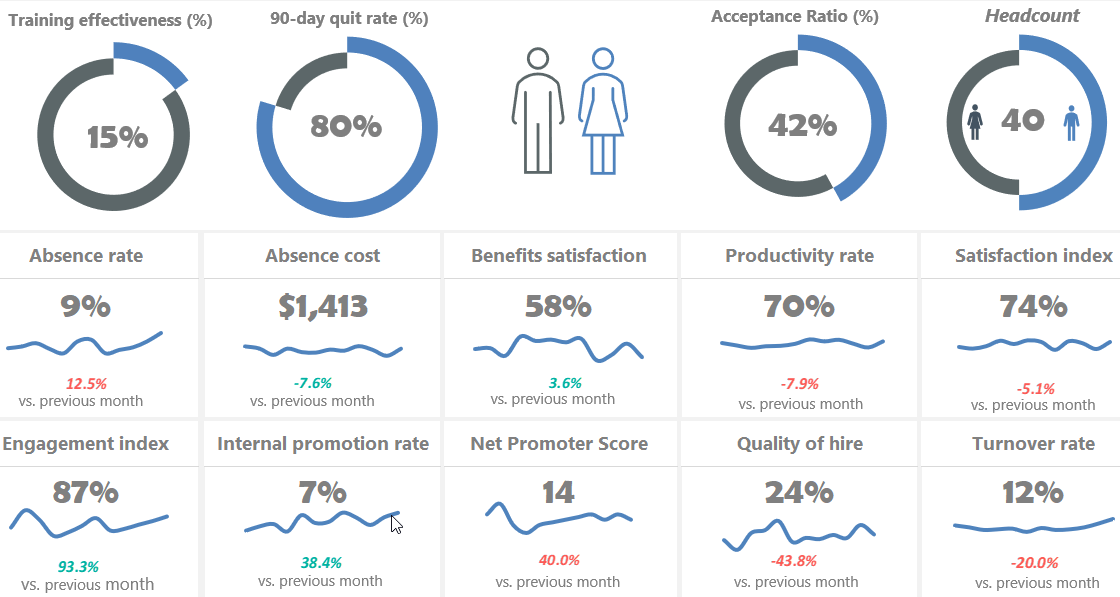
Image courtesy of excelkid.com via Google Images
Performance Tuning
To truly optimize your SQL skills, it’s essential to focus on performance tuning. By fine-tuning your queries, indexing your tables, and employing query optimization techniques, you can significantly improve the speed and efficiency of your data retrieval. With a few tweaks here and there, you’ll be fetching data at lightning speed.
Resources for Learning SQL
Ready to embark on your SQL journey? There are tons of resources available to help you master SQL, ranging from online courses to tutorials and books. Practice your skills with real-world datasets and projects to solidify your understanding and become a data analysis whiz in no time!

Image courtesy of 365datascience.com via Google Images
Conclusion
Congratulations, teachers-turned-data-analysts! You’ve made it through the transition from Excel to SQL and are well on your way to unlocking the full potential of your data analysis skills. Keep learning, practicing, and refining your SQL prowess, and the world of data will be yours to conquer.
Generated by Texta.ai Blog Automation