

Unlock the secrets of data engineering with our comprehensive guide, revealing industry best practices and proven strategies for success.

Table of Contents
Welcome, teachers on the path to becoming data analysts! Whether you are looking to improve your skills in Excel, SQL, Python, R, Tableau, PowerBI, or any other data analysis tools, this article is for you. In this comprehensive guide, we will walk you through the best practices and strategies for mastering data engineering and analysis. Let’s dive in!
Excel Basics
Excel is a powerful tool for organizing and analyzing data. To make the most of Excel, start by ensuring your data is well-organized. Create separate tabs for data inputs, calculations, and outputs to keep your spreadsheet clean and easy to navigate. Use formulas and functions like SUM, AVERAGE, and VLOOKUP to perform calculations and manipulate your data. Pivot tables are handy for summarizing large datasets and creating interactive reports and charts.
Advanced Excel Techniques
For more advanced data analysis tasks, consider using macros to automate repetitive processes. Data validation tools can help ensure the accuracy of your data, while cleaning techniques can help you deal with messy datasets. Excel’s forecasting and regression tools can assist in predicting future trends and analyzing relationships in your data.
Introduction to SQL
Structured Query Language (SQL) is essential for querying and analyzing data stored in databases. Start with the basics, such as the SELECT, FROM, and WHERE statements. Learn how to write queries to extract specific data and join tables to perform more complex analyses. With SQL, you can unlock the power of relational databases for comprehensive data analysis.

Image courtesy of via Google Images
Data Engineering with Python
Python is a versatile programming language with powerful libraries like Pandas and NumPy for data analysis. You can read and manipulate data files using Python, perform data cleansing and transformations, and visualize your data using libraries like Matplotlib and Seaborn. Python’s flexibility and ease of use make it a valuable tool for data engineering.
Introduction to R
R is another popular language for statistical computing and data analysis. With R, you can manipulate and analyze data effectively, create visualizations using ggplot2, and perform advanced statistical analyses. R provides a wide range of packages that can help you tackle various data analysis tasks with ease.

Image courtesy of via Google Images
Data Lineage and Data Ownership
Understanding the importance of data lineage is crucial for ensuring the quality and integrity of your data analysis. By maintaining clear data ownership and governance practices, you can enhance data transparency and accountability. Implementing best practices for data lineage and ownership will help you trust the insights derived from your data analysis.
Data Visualization with Tableau
Tableau is a popular data visualization tool that allows you to create interactive and visually appealing dashboards. Connect Tableau to different data sources to generate insightful visualizations and reports. With drag-and-drop functionality and a user-friendly interface, Tableau makes data visualization accessible to all users, including teachers transitioning into data analysis roles.
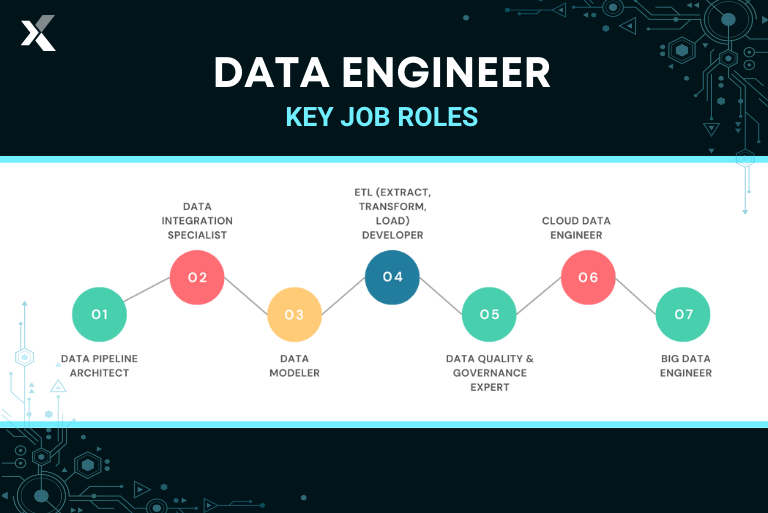
Image courtesy of via Google Images
Introduction to PowerBI
PowerBI is a powerful business intelligence tool that enables you to import data, create relationships between tables, and generate interactive reports and dashboards. With Power Query and DAX formulas, you can perform advanced data transformations and calculations to uncover valuable insights. PowerBI’s integration with Microsoft products makes it a versatile tool for data analysis and reporting.
Conclusion
Congratulations on completing this guide to data engineering and analysis! By mastering Excel, SQL, Python, R, Tableau, PowerBI, and understanding the importance of data lineage and ownership, you are well on your way to becoming a proficient data analyst. Keep practicing and exploring these tools to enhance your data analysis skills and unlock new opportunities in your teaching career. Stay curious and keep learning!