

Unlock the power of SQL with our step-by-step guide to transitioning seamlessly from Excel to SQL. Dive in now!

Table of Contents
Looking to level up your data management skills? As a teacher diving into the world of data analysis, transitioning from Excel to SQL can be a game-changer for organizing, manipulating, and analyzing large datasets. SQL, or Structured Query Language, is a powerful tool used by data professionals worldwide to interact with databases efficiently. This blog post will guide you through the essential tips and techniques to smoothly transition from Excel to SQL.
Understanding the Basics of SQL
SQL plays a crucial role in managing databases and extracting valuable insights from data. While Excel is great for small-scale data analysis, SQL excels in handling large volumes of data and complex queries. In SQL, you can write queries to retrieve, update, and manipulate data stored in databases, making it a preferred choice for data analysts dealing with big datasets.
Setting Up a SQL Environment
Before diving into SQL, you need to set up a SQL environment on your computer. Start by installing a SQL server, such as MySQL or PostgreSQL, which will serve as the platform for storing and managing your databases. Additionally, choose a SQL management tool like SQL Server Management Studio or DBeaver to interact with your databases effectively.
Importing Data from Excel to SQL
To transition your data from Excel to SQL, you’ll need to import your existing Excel spreadsheets into SQL databases. This process involves mapping the columns from your Excel spreadsheet to the table structure in SQL. By transferring your data to SQL, you’ll have a centralized database to work with, allowing for more efficient data management.

Image courtesy of www.linkedin.com via Google Images
Writing Basic SQL Queries
Once your data is in SQL, it’s time to start writing queries. SQL uses simple yet powerful syntax to communicate with databases. For beginners, start with SELECT queries to retrieve data from tables, and gradually move on to INSERT, UPDATE, and DELETE queries to manipulate data. Understanding the basics of SQL queries is essential for performing data analysis tasks efficiently.
Filtering and Sorting Data in SQL
One of the essential features of SQL is the ability to filter and sort data using the WHERE and ORDER BY clauses, respectively. The WHERE clause allows you to specify conditions to filter rows based on specific criteria, while the ORDER BY clause helps you sort the results in ascending or descending order. Mastering these clauses will help you narrow down your data and organize it effectively.
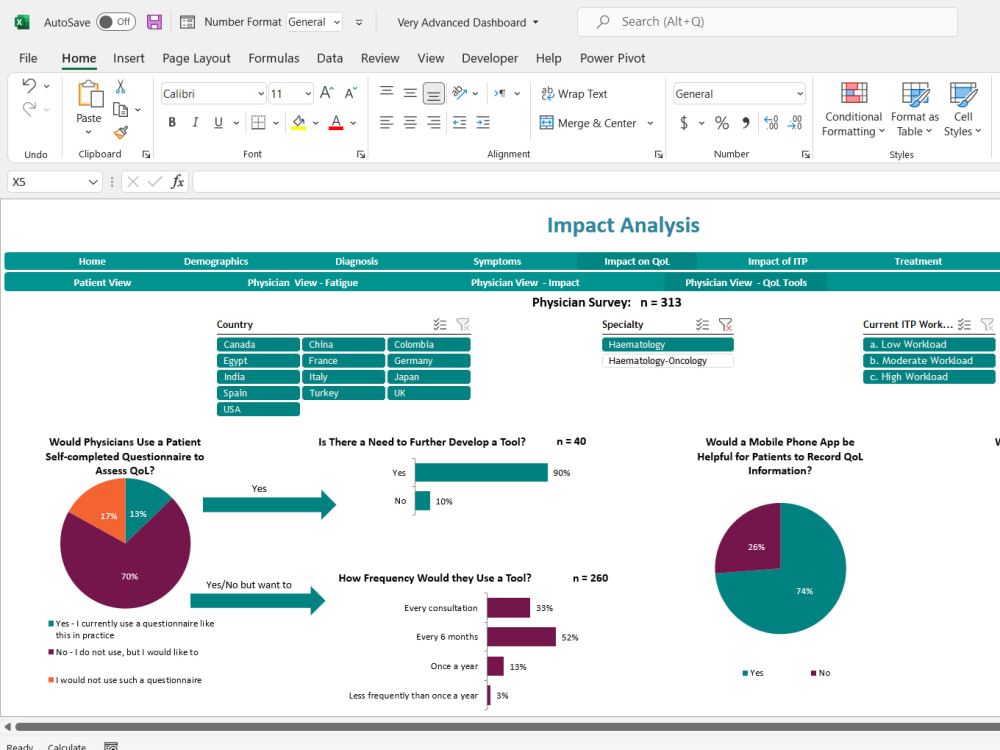
Image courtesy of www.upwork.com via Google Images
Aggregating Data in SQL
Aggregating data in SQL involves calculating summaries and totals from your datasets. The GROUP BY clause allows you to group rows based on a specified column, while aggregate functions like COUNT, SUM, AVG, etc., help in performing calculations on grouped data. By mastering data aggregation in SQL, you can derive valuable insights and metrics from your datasets.
Joining Tables in SQL
When working with relational databases, joining tables becomes essential for retrieving data from multiple sources. SQL offers various types of joins, such as INNER, LEFT, RIGHT, and FULL, to combine data from two or more tables based on a related column. Understanding how to perform joins in SQL will enable you to access and analyze data across different tables seamlessly.

Image courtesy of www.upwork.com via Google Images
Creating Views in SQL
SQL views provide a way to save complex queries for easy access and retrieval. By creating views in SQL, you can encapsulate frequently used queries and simplify data analysis tasks. Views act as virtual tables that display the results of a query, making it convenient to work with the same set of data across multiple queries.
Advanced SQL Techniques
As you progress in your SQL journey, explore advanced techniques like subqueries, window functions, and stored procedures. Subqueries allow you to nest queries within queries, providing more flexibility in data retrieval. Window functions enable advanced analytical computations, while stored procedures help in organizing and executing repetitive tasks efficiently.
Image courtesy of www.quora.com via Google Images
Best Practices and Optimization Tips
To maximize the efficiency of your SQL queries, follow best practices for database design, indexing, and query optimization. Proper indexing of columns, normalization of database tables, and using appropriate data types can significantly impact query performance. By adhering to best practices and optimizing your queries, you can enhance the speed and efficiency of your data analysis tasks.
Conclusion
Congratulations on taking the first step towards transitioning from Excel to SQL! By understanding the basics of SQL, setting up your SQL environment, and mastering essential SQL techniques, you’re well on your way to becoming a proficient data analyst. Keep exploring the world of SQL, practice writing queries, and apply the tips and techniques shared in this blog post to excel in your data analysis endeavors. Happy querying!
Generated by Texta.ai Blog Automation