
Unleash the power of Excel to SQL transformation like a pro! Learn the secrets to maximizing your data potential now!

Image courtesy of Anete Lusina via Pexels
Table of Contents
Welcome, teachers turned budding data analysts! As you embrace the world of data analytics, one of the key skills you’ll need to master is SQL. While Excel is a great tool for basic data manipulation, SQL offers a more powerful and efficient way to query and manage large datasets. In this blog post, we’ll share 10 essential tips to help you transition smoothly from Excel to SQL, so you can take your data analysis skills to the next level.
Understanding the Basics of SQL
To kickstart your journey into SQL, it’s important to understand the basics of this powerful language. SQL, which stands for Structured Query Language, is used to communicate with databases and retrieve, manipulate, and manage data stored within them. Unlike Excel, which is based on spreadsheets, SQL is focused on querying relational databases.
Key terms in SQL include tables (where data is stored), queries (commands to retrieve data), and clauses (conditions applied to queries). Familiarizing yourself with these concepts will serve as a solid foundation for your SQL journey.
Setting Up Your SQL Environment
Before diving into SQL queries, you’ll need to set up your SQL environment. This involves installing SQL server software and client tools on your computer. These tools will allow you to interact with databases and execute SQL commands.
Once your SQL server software is up and running, you can create a new database to store your data. Think of a database as a virtual filing cabinet where you can organize and access your datasets.
Exporting Data from Excel to SQL
If you have been working with data in Excel, you’ll need to transfer that data into your SQL database. Fortunately, you can easily convert your Excel data into a SQL-friendly format and import it into your database tables.
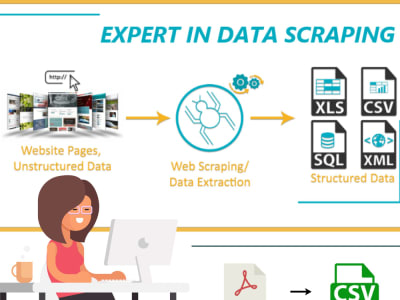
Image courtesy of www.upwork.com via Google Images
There are various tools and methods available for exporting data from Excel to SQL, such as using the “Import Data” feature in SQL server management tools. By following a few simple steps, you can seamlessly migrate your data from Excel to SQL.
Writing Basic SQL Queries
With your data successfully loaded into your SQL database, it’s time to start querying it. A basic SQL query consists of the SELECT statement, which retrieves data from a table. You can also use the WHERE clause to filter the results based on specific conditions.
For example, if you want to retrieve all student records from a table named “students,” you would write a query like: SELECT * FROM students;. This command would return all the rows and columns from the “students” table.
Joining Tables in SQL
One of the powerful features of SQL is the ability to join tables to combine data from multiple sources. There are different types of joins, such as INNER JOIN, LEFT JOIN, and RIGHT JOIN, which allow you to merge related data from different tables.
Image courtesy of www.fiverr.com via Google Images
For instance, if you have a “students” table and a “grades” table, you can join them based on a common key, such as student ID, to retrieve information like student names and their corresponding grades. This skill will be crucial for analyzing complex datasets that span multiple tables.
Aggregating Data in SQL
When working with datasets, you’ll often need to perform aggregate functions to summarize and analyze data. SQL offers a range of aggregate functions, including SUM, COUNT, and AVG, which allow you to calculate totals, counts, and averages.
By using the GROUP BY clause, you can group data based on specific criteria and apply aggregate functions to each group. This can help you generate valuable insights from your data, such as average student scores by class or total sales by product category.
Sorting and Ordering Data in SQL
Sorting data is another essential skill in SQL, as it allows you to arrange your query results in a meaningful way. The ORDER BY clause in SQL enables you to specify the sorting order for your query results, whether in ascending or descending order.
Image courtesy of medium.com via Google Images
For example, you can sort a list of student names alphabetically or rank products by sales volume. By mastering sorting and ordering techniques in SQL, you can enhance the readability and usability of your data analysis outputs.
Updating and Deleting Data in SQL
As you work with datasets in your SQL database, you may encounter situations where you need to modify or remove existing data. SQL provides UPDATE and DELETE statements for these purposes, allowing you to make changes to your data records.
If, for instance, a student’s grade needs to be corrected, you can use an UPDATE statement to modify the grade value in the database. Similarly, if you want to remove outdated records or duplicates, the DELETE statement can help you clean up your data effectively.
Advanced SQL Techniques
Once you’ve mastered the basics of SQL, you can delve into more advanced techniques to elevate your data analysis skills. Subqueries, for example, allow you to nest queries within queries, enabling you to perform complex operations and retrieve specific subsets of data.
Image courtesy of www.quora.com via Google Images
SQL functions are another powerful tool to manipulate and transform data. Functions like UPPER, LOWER, and CONCAT can help you clean and format your data for analysis. By incorporating these advanced techniques into your SQL repertoire, you can handle increasingly sophisticated data tasks with ease.
Conclusion
Congratulations on completing this crash course in transitioning from Excel to SQL! By embracing these 10 essential tips and consistently practicing your SQL skills, you’re well on your way to becoming a proficient data analyst.
Remember, SQL is a versatile and robust language that empowers you to extract valuable insights from your datasets. As you continue exploring and experimenting with SQL, you’ll unlock new possibilities for data analysis and decision-making in your teaching profession.
So, go forth with confidence, teachers-turned-data-analysts, and conquer the world of SQL one query at a time!
Generated by Texta.ai Blog Automation