
Unlock the secrets of seamless data transformation with this simple guide on converting Excel spreadsheets to powerful SQL databases!

Image courtesy of cottonbro studio via Pexels
Table of Contents
Welcome, teachers who are ready to level up their data analysis skills! If you’re still relying on Excel spreadsheets for all your data management needs, it’s time to take the next step and transition to SQL. SQL (Structured Query Language) is a powerful tool that allows you to query, manipulate, and analyze large datasets with ease. In this blog post, we’ll guide you through the process of converting from Excel to SQL like a pro.
Understanding SQL Basics
SQL is the language used to communicate with databases and retrieve specific information from them. Unlike Excel, which is a spreadsheet program, SQL is specifically designed for data manipulation and querying. The syntax of SQL can seem intimidating at first, but once you grasp the basics, you’ll unlock a whole new level of data analysis capabilities.
Setting Up Your SQL Environment
Before you can start using SQL, you’ll need to set up a database management system (DBMS) on your computer. Popular DBMS options include MySQL, PostgreSQL, and Oracle. Once you’ve installed the DBMS, you can create a database and tables to store your data. Connecting to your SQL database is as simple as entering your credentials and launching the interface.
Importing Data from Excel to SQL
One of the first steps in transitioning from Excel to SQL is importing your existing data into the SQL database. There are several methods for importing data from Excel to SQL, including using the import wizard or writing a custom script. Mapping your Excel data to SQL tables may require some restructuring, but once you’ve imported your data, you’ll be ready to start querying and analyzing.

Image courtesy of www.linkedin.com via Google Images
Writing Basic SQL Queries
Writing SQL queries is essential for extracting data from your database. A basic SELECT statement allows you to retrieve data from a single table, while the WHERE clause lets you filter the results based on specific criteria. Sorting and grouping data using SQL commands like ORDER BY and GROUP BY will help you organize and analyze your data more effectively.
Joining Tables in SQL
In SQL, joining tables allows you to combine data from multiple sources into a single result set. There are different types of joins, including INNER JOIN, LEFT JOIN, and RIGHT JOIN, each serving a unique purpose. By mastering the art of joining tables, you can create comprehensive datasets that provide valuable insights for your data analysis projects.
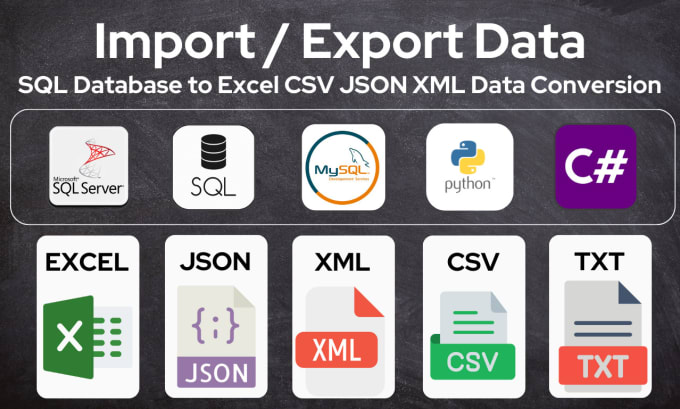
Image courtesy of www.fiverr.com via Google Images
Aggregating Data in SQL
Aggregate functions in SQL allow you to perform calculations on groups of data. Functions like SUM, AVG, MIN, and MAX can help you calculate totals, averages, and other aggregate metrics. Grouping data using the GROUP BY clause enables you to group and summarize data based on common attributes, providing a more comprehensive view of your dataset.
Advanced SQL Techniques
Once you’ve mastered the basics of SQL, it’s time to explore advanced techniques like subqueries and nested queries. These powerful tools allow you to perform complex data manipulations and extract valuable insights from your database. Window functions, common table expressions (CTEs), and temporary tables are additional features that can enhance your SQL skills and take your data analysis to the next level.

Image courtesy of www.reddit.com via Google Images
Optimizing SQL Queries
Optimizing your SQL queries is essential for improving performance and efficiency. By understanding query optimization techniques and best practices, you can ensure your queries run smoothly and return results quickly. Using indexes and avoiding common pitfalls like unnecessary joins can significantly enhance the speed and efficiency of your SQL queries.
Congratulations, teachers, on taking the first steps towards mastering SQL and becoming proficient data analysts. By transitioning from Excel to SQL, you’ve unlocked a world of possibilities for data manipulation, analysis, and visualization. Remember, practice makes perfect, so don’t be afraid to experiment with SQL queries and explore advanced techniques to enhance your data analysis skills. With dedication and perseverance, you’ll soon be transforming data like a pro. Keep learning, keep growing, and most importantly, keep having fun with data!
Generated by Texta.ai Blog Automation